What carries over
Structured questions and options move across with labels, choices, and order preserved in the new form.
Describe the form you need. Thunder Forms drafts the fields with AI, you refine them in the builder, and share a link that collects responses straight into your workflow.
Trusted by 10k+ users.
Type what you are collecting: attendees, applicants, or feedback. Thunder Forms drafts the fields, so you start with a working form instead of a blank canvas.
Try the AI draft
thunderforms.in/describe
Drag fields between pages and sections, tune options and validation, and preview as you go. AI gets you started; you decide what ships.
See what you can start from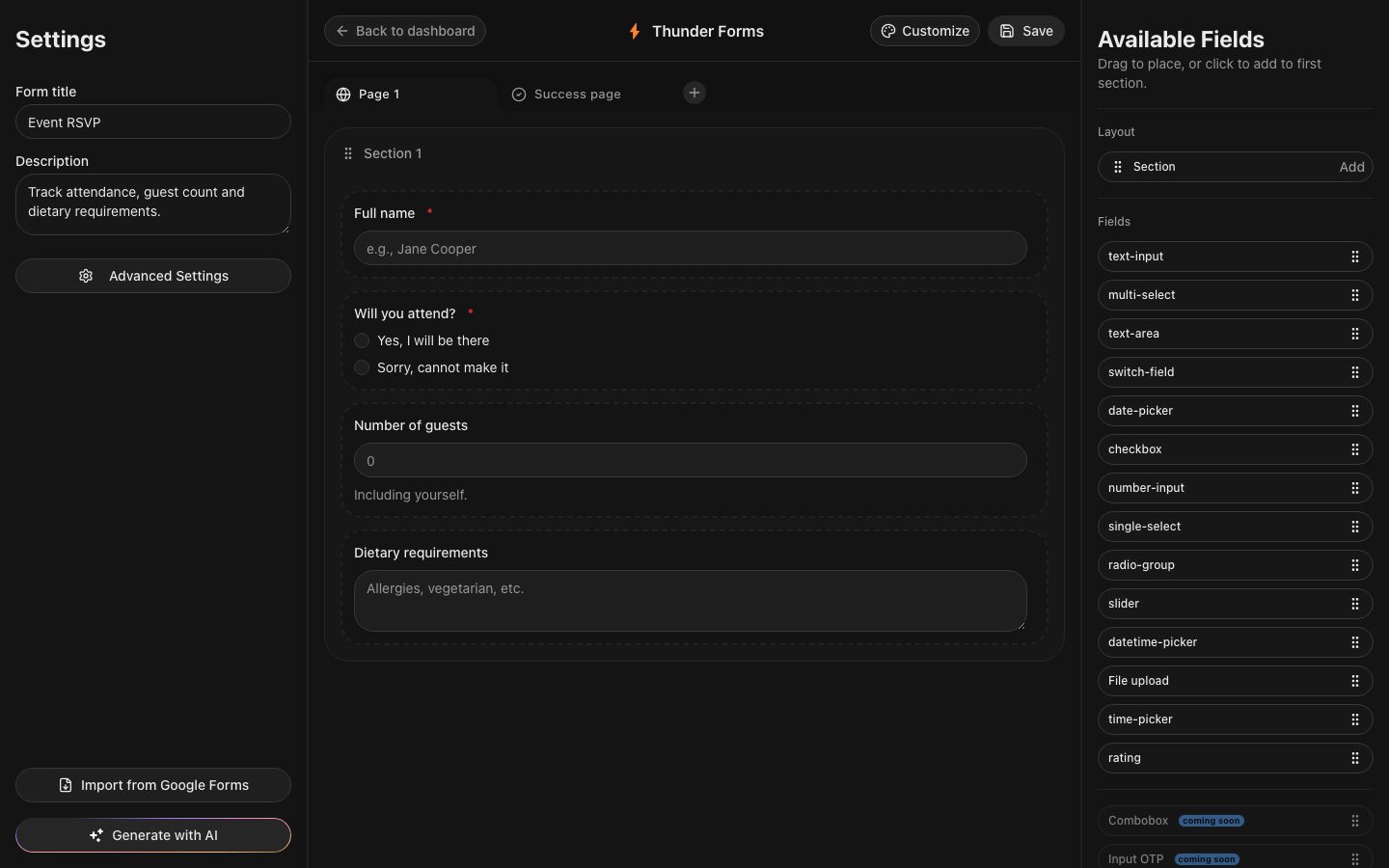
thunderforms.in/builder
Publish a public link, collect answers in a live table, then export a CSV or sync every row to Google Sheets as it arrives.
Publish your first form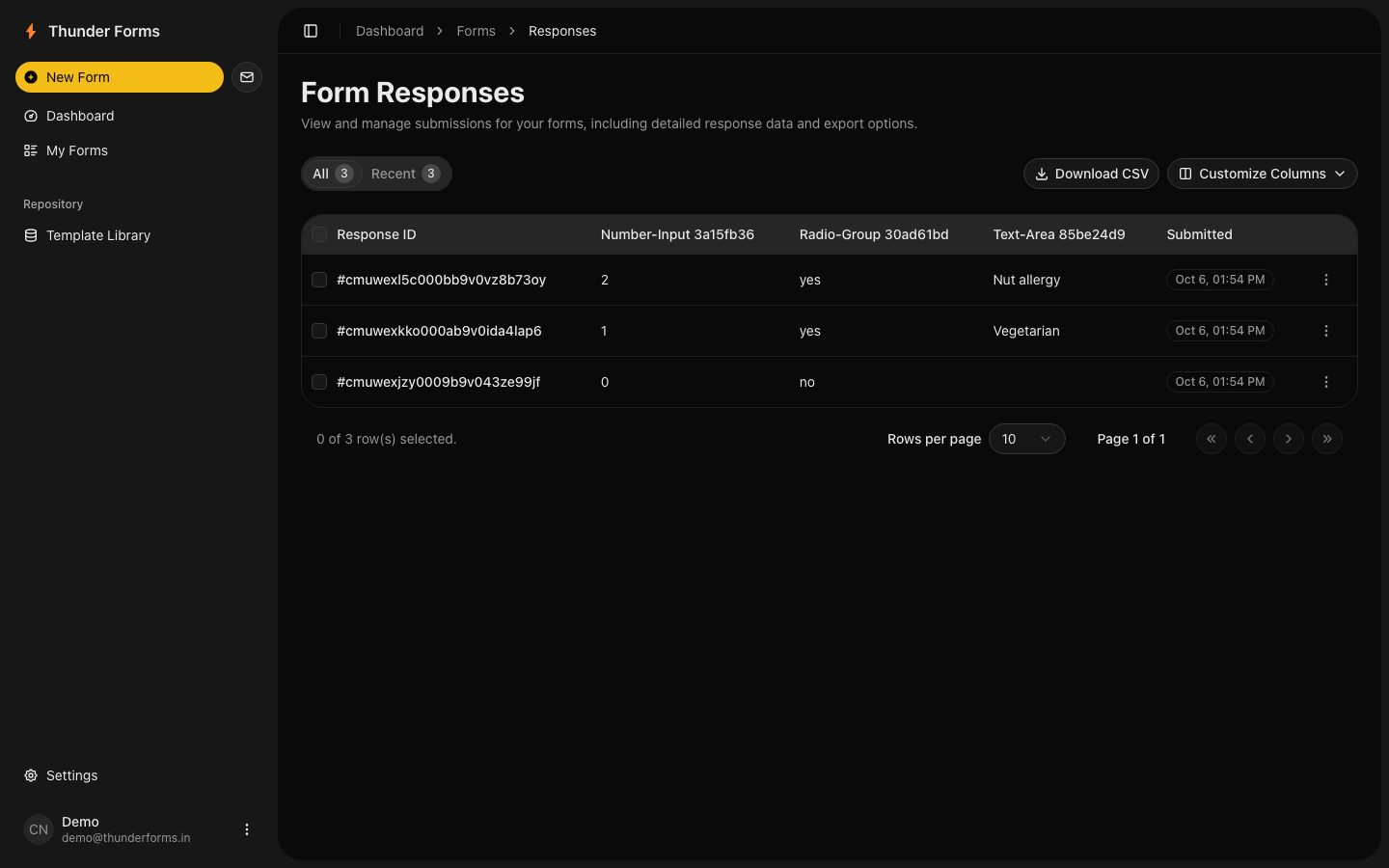
thunderforms.in/forms/event-rsvp
Bring the form you already have. We keep the questions and give you a cleaner place to build on them.
Structured questions and options move across with labels, choices, and order preserved in the new form.
Anything without a direct mapping arrives flagged as an explicit note. Nothing is silently reshaped into something it is not.
Tailor with AI, sync rows to Google Sheets, export CSV, or duplicate the form and run it again.
Import is loss-aware by design: the mapping is direct where one exists, and explicit where it does not.
Six jobs you do by hand today, and what they become. No rival named, no number invented.
By hand
Stare at a blank spreadsheet and guess the columns.
Thunder Forms
One sentence is enough for AI to draft name, email, choice, number, and more.
By hand
Fight formatting to fake structure.
Thunder Forms
Pages, sections, fourteen field types, drag and drop, live preview.
By hand
Trawl the inbox and paste rows together.
Thunder Forms
A public link feeds one live table, validation and uploads included.
By hand
Reformat CSVs by hand for every stakeholder.
Thunder Forms
One-click CSV export, formatted and ready.
By hand
Copy-paste Fridays, forever.
Thunder Forms
Every row lands in Google Sheets as it arrives.
By hand
Save-as chaos: final_v2_REAL.xlsx.
Thunder Forms
Duplicate in one action, or start from six real templates.
We publish the implementation decisions behind Thunder Forms so you can see what the product does, where its limits are, and how to use it well.
What carries across from Google Forms, what does not, and why unsupported rules are reported instead of silently changed.
How a response table becomes a Google Sheet without treating a successful connection as the end of the job.
The choices behind required fields, useful errors, and forms that do not make respondents guess what went wrong.
Built and maintained by Aditya Singh Khichi in New Delhi. Follow the work on portfolio, GitHub, and LinkedIn.
Describe it, refine it, share the link. Your first response can land today.